Introduction
If you have been looking at AI coding tools lately, there is a very good chance you have run into two names in terminal-based workflows: Codex CLI and Claude Code.
Both belong to the same broad category: large-model coding assistants that live in the command line. Both can read files, modify code, run shell commands, and help move development work forward.
But the important part is that they are not designed around the same mental model.
That is what makes the original comparison valuable. It is not trying to answer a vague “which one is stronger?” question. It is trying to answer a much more useful one:
If OpenAI and Anthropic both put an AI coding assistant into the terminal, what exactly are they trying to build?
The short answer is straightforward:
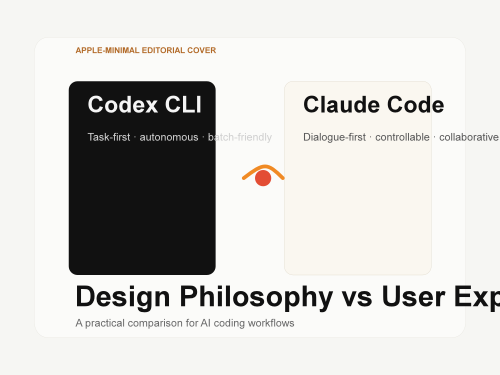
Codex CLI feels more like a task-oriented execution agent
Claude Code feels more like a process-oriented collaborative partner
If you do not get that distinction first, many of the downstream product differences will seem random when they are actually very consistent.
1. Background and Positioning
It helps to start with how each tool naturally presents itself.
Codex CLI is OpenAI's command-line coding agent, backed by models in the GPT-4o and o3 family. Its core positioning can be summarized very simply:
give it a task, and let it execute.
Claude Code, by contrast, is Anthropic's CLI coding tool built on top of the Claude family. Its core positioning is closer to:
work with you on code, while keeping the process visible and controllable.
From a surface-level feature checklist, both tools can:
read project files
change code
run terminal commands
participate in debugging and implementation
But in terms of working relationship, they feel different. One behaves more like a contractor you hand work to. The other behaves more like a pair-programming teammate who stays in the loop with you.
2. Design Philosophy Comparison
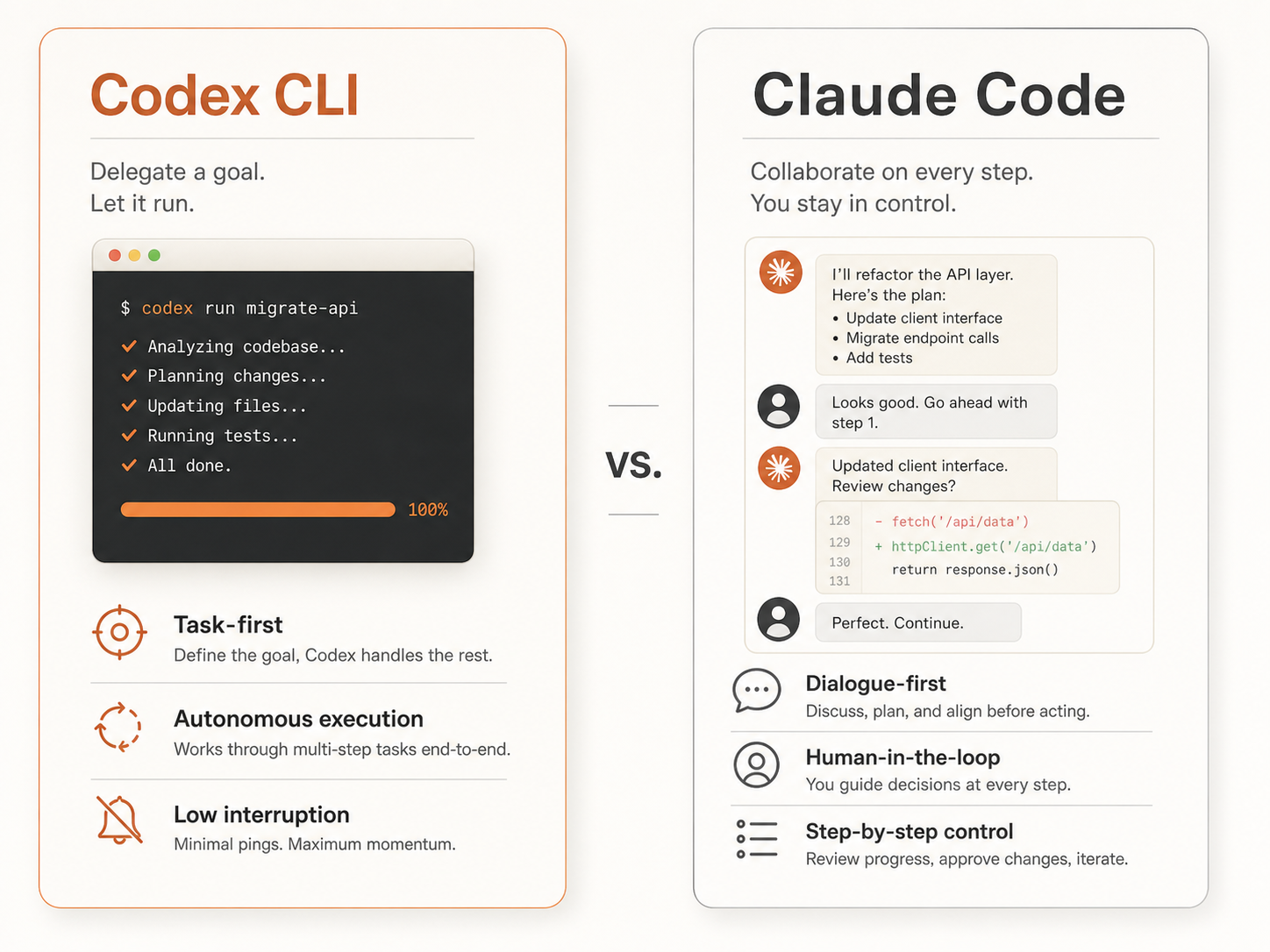
Codex: task-first
Codex is built from an automation-first starting point.
You give it a goal, and it plans, executes, and reports back. The center of gravity is not the conversation. It is whether the task can be completed end to end.
Why design it that way? Because OpenAI's underlying bet seems to be that model capability is strong enough that an agent should often be allowed to run a larger portion of the workflow autonomously, with less human interruption.
That design clearly leans on the stronger reasoning profile of models like o3.
User -> describe task -> Codex plans -> executes -> returns result ^ fewer intervention points
The upside is obvious:
less friction
shorter loop
stronger fit for batch-style and result-oriented work
But the tradeoff is equally clear: you have to trust the model more once the task is in motion.
Claude Code: dialogue-first
Claude Code starts from a collaboration-first model.
Instead of trying to finish everything in one uninterrupted run, it is more naturally built around:
continuing dialogue
smaller execution steps
easy interruption, adjustment, and follow-up
Why would Anthropic prefer that route? The answer is very practical:
That means the real risk in many projects is not that AI cannot do anything. It is that it does the wrong thing and you notice too late. So Anthropic appears to prioritize controllability over maximum automation.
User <-> Claude Code conversation -> small execution step -> user checks -> continue ^ more intervention points
That is why the original article's summary line works so well:
Codex trusts the model. Claude Code trusts the user.
It is probably the cleanest possible framing of the entire comparison.
3. Comparison of Key Product Decisions
3.1 Sandboxing
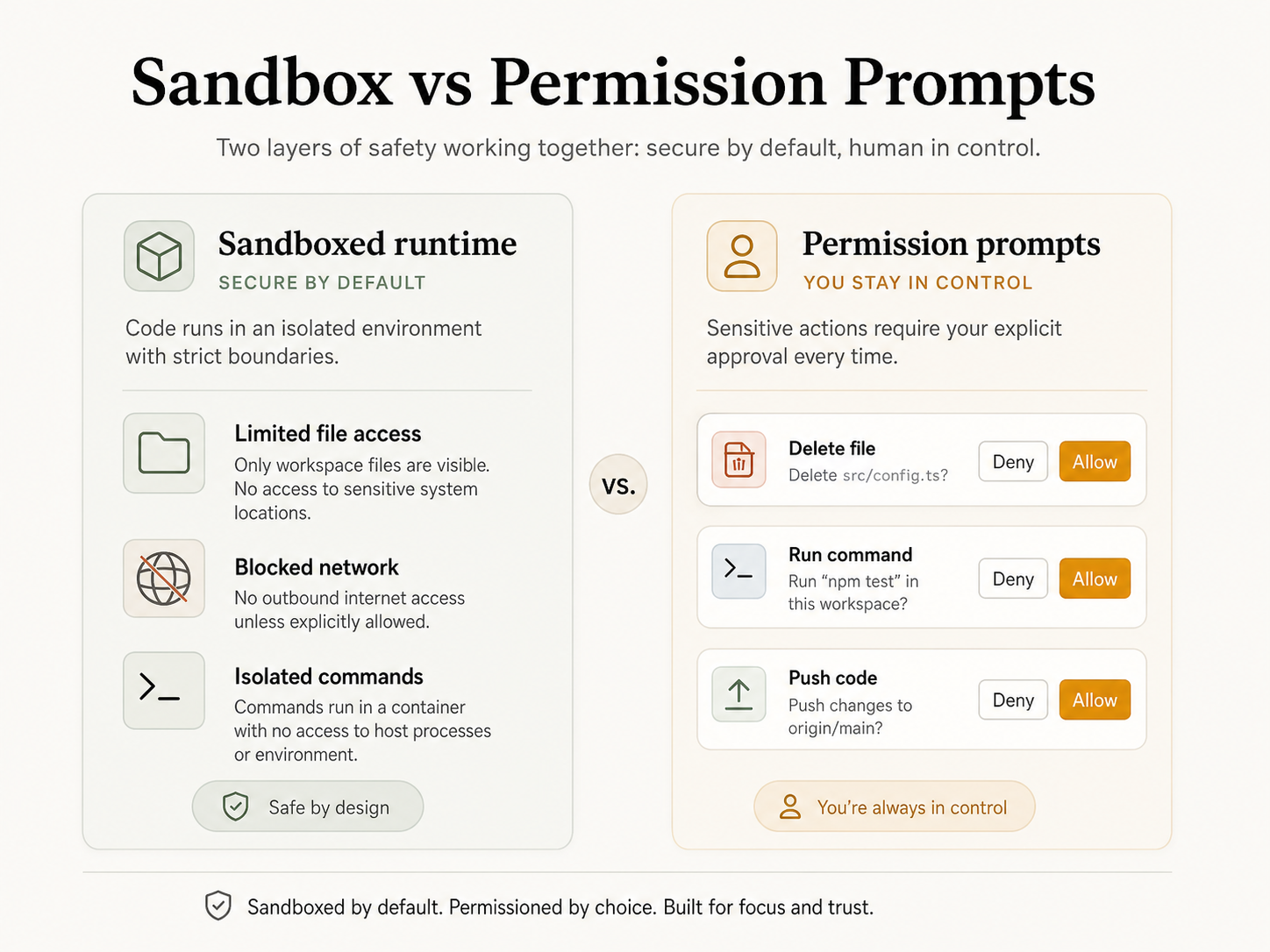
Sandboxing is one of the clearest design differentiators.
Codex is much more strongly associated with sandboxed execution, where network and filesystem access are restricted. That is not an accidental extra. It is part of the design logic. If you want an agent to act more freely, you first need to contain the environment it is acting in.
The thinking is basically:
if the AI is going to operate with more autonomy
the system boundary must become safer first
Claude Code takes a different route.
It does not necessarily force everything through a heavy sandbox model. Instead, it relies more on fine-grained permission prompts. High-risk actions such as deleting files, pushing code, or doing potentially destructive things can stop and ask for confirmation.
So both tools are trying to solve the same underlying problem:
do not let the AI mess up my system.
But the implementation paths are different:
Codex leans toward environmental isolation
Claude Code leans toward interactive approval
3.2 Permission Model
The permission model follows the same philosophical split.
Codex feels more coarse-grained. Many decisions are made before the task starts, and once the run is underway, the system tries not to interrupt you too often.
That maps very well to a workflow like this:
I already decided to hand this task to you. Go do it and come back when you are done.
Claude Code, on the other hand, is much more fine-grained.
Through things like settings.json, you can control:
which commands are automatically allowed
which actions require confirmation
which behaviors should follow custom rules
It also supports hooks, which means you can insert your own logic before or after certain events. For advanced users, that makes it feel less like “a chatbot in the terminal” and more like “an AI layer that can plug into my development workflow.”
3.3 Context Management
Context management is the kind of thing people may ignore at first and then care deeply about later.
Codex tends to feel more task-bounded. A task begins, the context is used, and the run ends. It does not put strong emphasis on persistent cross-task memory.
That is often fine for short, clearly scoped work. In some cases it is even a benefit, because it keeps the tool lighter.
Claude Code, however, moves more clearly toward the idea of a long-lived project collaborator.
Its behavior is shaped by patterns such as:
automatic conversation compression that preserves key points
project-level context injection through CLAUDE.md
repeated loading of that background when you reopen the project
That makes it better suited to work that is not just “do this now and forget it,” but “stay with this codebase and continue helping over time.”
3.4 Tooling Ecosystem
Their extension stories are also different.
Codex supports function calling, but its expansion model feels more API-centric. In other words, the openness is there, but it feels more like platform capability than a terminal-first local workflow ecosystem.
Claude Code puts much more emphasis on MCP, or the Model Context Protocol.
That is important because MCP makes it relatively natural to connect Claude Code to:
databases
browsers
documentation systems
external services
local and remote tools
So if you think of these CLI tools as “AI workstations inside the terminal,” Claude Code currently feels more extensible at the workflow level.
4. User Experience Comparison
4.1 Interaction Style
The interaction difference is one of the first things people actually feel.
Codex behaves more like a command executor.
You enter a task, it starts running, and you wait for the result. That makes it a natural fit for workflows where:
the objective is clearly bounded
you do not want to constantly interrupt
you care more about throughput than about intermediate explanation
Claude Code, by contrast, feels more like pair programming.
You say one thing, it does one step, you inspect the result, and then the next step happens. The rhythm is slower, but also more controllable.
If you are doing exploratory development, that often feels better.
4.2 Output Style
Their output style is also noticeably different.
Codex tends to be more concise and result-focused.
Claude Code is more willing to explain:
what it is doing
why it is doing it
where the risks are
what else it noticed in your codebase
So the natural user preference split often looks like this:
if you prefer quieter, cleaner output, Codex may feel better
if you prefer transparency and reasoning along the way, Claude Code may feel better
4.3 Learning Curve
The original article summarized this part well in table form, so the structure is preserved here:
Dimension | Codex CLI | Claude Code |
Ease of getting started | Low; you can just hand it a task | Medium; you need to understand permissions and configuration |
Deep usage | Requires understanding sandboxing and API permissions | Requires hooks, MCP, and CLAUDE.md fluency |
Debugging experience | Harder to trace when the result is wrong | Easier to inspect because the process is visible |
Customization space | More limited | Larger and highly configurable |
That table explains a lot.
Codex may be easier to start with, but deeper use becomes more platform-oriented. Claude Code may require a bit more setup literacy, but if you invest in it, it can attach itself more tightly to your daily workflow.
4.4 Response Speed
This is not purely about the tool layer. It is also about the underlying models.
The original article's framing is sensible:
o3 is slower but deeper
GPT-4o is faster but comparatively shallower
Claude Sonnet often feels like the balance point
Claude Opus is slower but stronger
That is why real-world experience can feel like this:
Codex creates more “waiting” on harder tasks, because it is more willing to run longer internally
Claude Code often feels smoother because the workflow is broken into smaller visible steps
That is less about absolute speed and more about interaction rhythm design.
5. Best-fit Scenarios
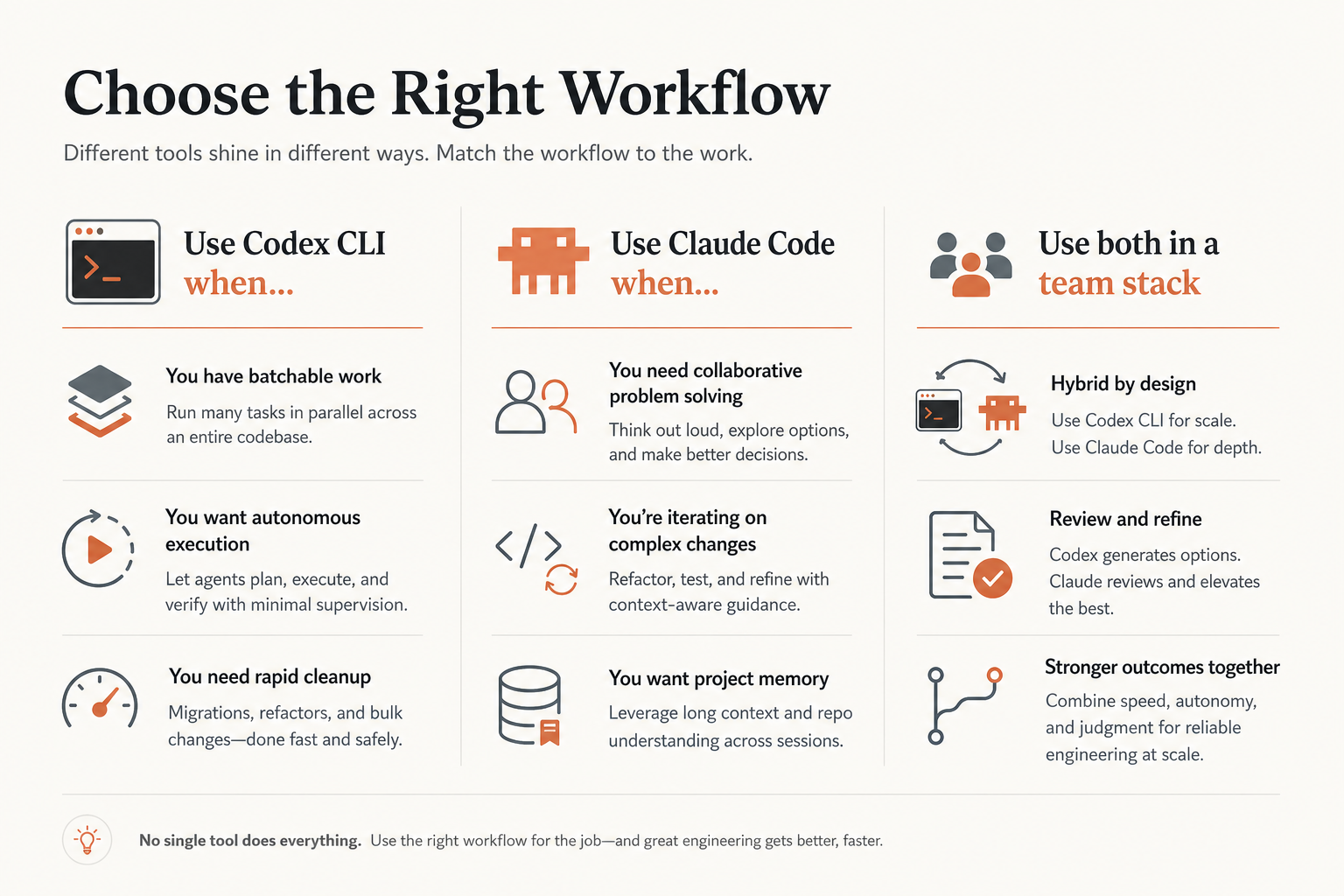
This is where the article becomes very practical.
When Codex CLI is the better fit
the task boundary is clear and result-oriented
you want to process things in batches with less interruption
you are willing to trust the model's own judgment to a reasonable extent
you already live inside the OpenAI ecosystem, so switching cost is lower
When Claude Code is the better fit
the development process is exploratory and direction may change midstream
code safety matters and unexpected edits are unacceptable
you need deeper project-level context through CLAUDE.md
you want to connect external tools and services through the MCP ecosystem
you want the process to stay visible and traceable
That is also why many power users eventually do not stop at choosing one forever.
These tools are not perfect substitutes. They often feel more like primary tools for different modes of work.
6. Conclusion
If you compress the whole comparison into one sentence, it is basically this:
Codex CLI and Claude Code represent two different directions for AI coding assistants: autonomy versus collaboration.
Codex is betting on model autonomy. It wants lower friction, shorter loops, and a stronger “hand the task over to AI” experience.
Claude Code is betting on human-AI collaboration. It wants to preserve control, process visibility, and continuous context so that you and the model move together.
So the real question is not:
which one is universally better?
The real question is:
which kind of working style feels more natural to you?
If you are a heavy CLI user who prefers automation, batch execution, and task handoff, Codex CLI is well worth trying.
If you are working inside more complex projects and need continuous context, controlled permissions, and a transparent process, Claude Code will often be the better fit.
The most practical advice is still the same as the original article:
install both and use them for two weeks.
A lot of tool choice at this level is not decided by a spec sheet. It is decided by workflow feel.
What this means for AI product content and We0 AI-style growth
Articles like this are also strong SEO material because users rarely search in vague ways like “is Claude Code good?” What they actually search is:
what is the difference between Codex CLI and Claude Code
which one is better for terminal development
whether MCP and CLAUDE.md are worth the setup cost
whether sandboxing and approval prompts really change development efficiency
That makes this kind of comparison article perfect for showcase-style content, not just social posts.
That is also where We0 AI's growth logic fits:
Build -> Showcase -> Grow -> Leads
In plain terms:
build the site -> showcase the capability and proof -> capture search and AI-recommended traffic -> turn that traffic into leads and customers
For developer tools, AI products, automation services, and consulting offers, high-intent comparison content often compounds better than generic news.